Why Is My AC Blowing Hot Air After Replacing the Thermostat? Expert Tips Inside
Having your AC blow hot air after replacing the thermostat can be pretty frustrating. You’re not alone—many people struggle with this issue, especially when trying to stay comfortable during hot weather.
Thankfully, there are simple steps you can take to troubleshoot and fix the problem.
If your AC blows hot air after replacing the thermostat, start by checking your wiring connections to make certain they’re correct and secure. Confirm that the thermostat is set to “Cool” mode and the temperature is lower than the current room temperature.
Reset the system to clear any glitches, and verify your circuit breaker hasn’t tripped.
Also, inspect your AC’s refrigerant and mechanical parts for issues.
If problems persist, more tips await to help you fix the problem effectively.
Key Takeaways
- Incorrect thermostat wiring or loose connections can prevent the system from working properly, causing hot air to blow out.
- Make sure your thermostat is set to “Cool” and not “Heat” or “Off,” as that can also lead to warm air.
- The thermostat sensor might be off or miscalibrated, giving incorrect temperature readings and affecting cooling.
- Low refrigerant levels or leaks can reduce cooling power, making it seem like the system is blowing hot air.
- Electrical issues, like tripped breakers or faulty wiring, can disrupt the system’s operation and cause warm airflow.
Why Is My AC Blowing Hot Air After Replacing the Thermostat?
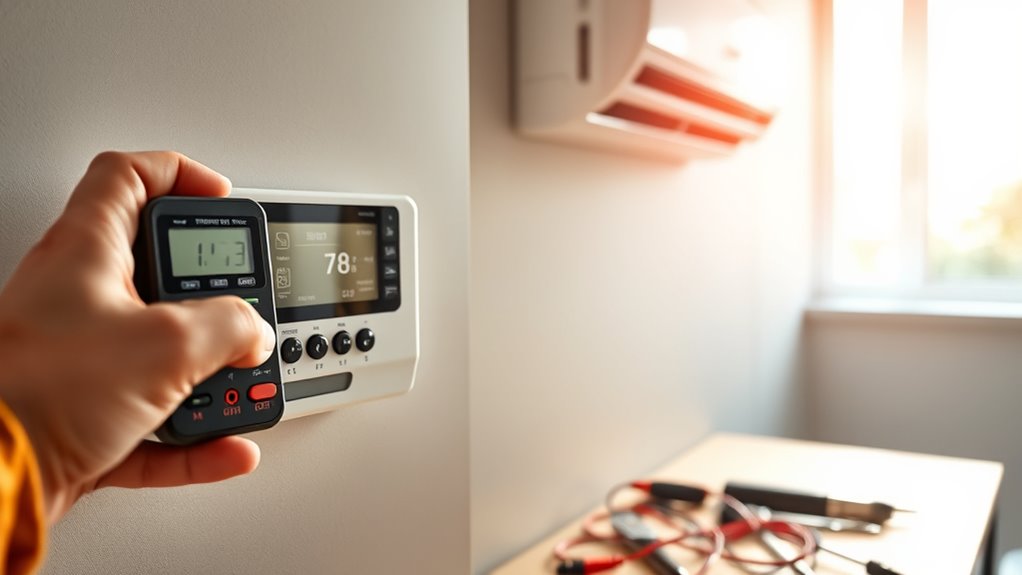
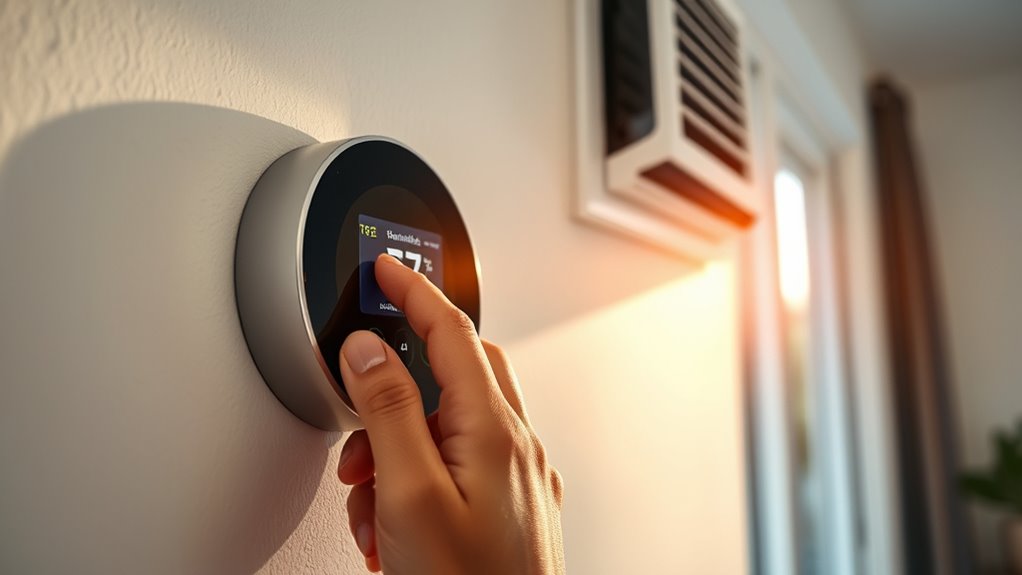
After replacing your thermostat, experiencing hot air from your AC can be really frustrating, especially since the new device should help cool your space. If you’re aiming for eco-friendly cooling, it’s smart to consider options like a smart thermostat that can optimize energy use while keeping you comfortable.
Sometimes, your AC blows hot air because the thermostat isn’t calibrated correctly or isn’t compatible with your system. Make sure the new thermostat’s settings are right and compatible with your AC unit. Many smart thermostats need proper setup to work efficiently and deliver cool air.
Ensure your thermostat is correctly calibrated and compatible for optimal, cool airflow from your AC.
It’s also possible the thermostat isn’t communicating well with your cooling system, which can cause it to run improperly. Upgrading to a smart thermostat designed for eco-friendly cooling can help reduce energy waste and improve overall performance.
Be sure to review the device’s setup instructions, and if problems persist, consider consulting a professional. That way, you can ensure your system cools effectively again.
Check Your Thermostat Wiring and Connections
First off, take a look at all the wiring connections around your thermostat. Make sure everything’s secure and properly attached — loose wires can cause all sorts of issues. Then, go ahead and check for any terminals that might be loose or disconnected. If any wires are not connected properly, it can definitely lead to your AC not working right or blowing hot air. Ensuring everything is wired correctly can often fix the problem and help your AC run smoothly again.
Verify Proper Wiring Connections
To make sure your thermostat wiring isn’t causing your AC to blow hot air, double-check all the connections. Start by matching the wiring colors with the terminal labels to confirm they’re connected properly.
Inspect each wire to see if it’s securely attached and not loose, as loose wires can mess with voltage stability. If any wiring is damaged or frayed, replace it right away.
Use a voltmeter to verify consistent voltage levels, ensuring your system gets stable power. Proper wiring helps transmit signals for cooling or heating modes correctly.
Avoid guesswork—making sure your wiring is right is key to your thermostat working properly. These steps help eliminate wiring issues and get your AC blowing cool air again.
Inspect For Loose Terminals
Even if your wiring looks intact, loose terminals are a common cause of heating issues in your AC system.
You should carefully inspect your thermostat connections for any loosened terminal connections.
A loose terminal can disrupt the proper flow of power, causing your AC to blow hot air.
Look specifically for corrosion buildup on the terminals, which can prevent a solid connection.
If you notice any corrosion or the terminal feels loose, tighten it firmly but gently.
Make sure all wiring is securely attached without over-tightening, which could damage the terminals.
Proper connection integrity is essential for your thermostat to communicate effectively with your AC system.
Addressing loose terminals and corrosion buildup can often resolve issues with your AC blowing hot air after installing a new thermostat.
Make Sure Your Thermostat Is Set to Cool Mode
If your AC is blowing hot air after replacing the thermostat, the first thing to check is whether your thermostat is set to cool mode. Sometimes, thermostats default to off or heat, which can stop the AC from cooling. Make sure it’s switched to the cooling setting.
Ensure your thermostat is set to cool mode to restore proper AC function after replacement.
Also, check that the thermostat isn’t in direct sunlight or near heat sources. These can give inaccurate readings and prevent proper cooling. Proper placement helps the thermostat read the room temperature accurately.
Next, ensure your air filter is clean and well-maintained. A clogged filter can block airflow and reduce cooling efficiency. If everything seems right and you’re still getting hot air, it’s time to look into other causes.
Getting the thermostat set correctly and placed properly is key to making sure your AC works well after a replacement.
Verify Your Thermostat Settings Are Correct for Cool Air
Is your thermostat set up correctly to produce cool air? First, make sure it’s on “Cool” mode and the temperature is lower than your current room temperature. If it’s not, your system won’t turn on the AC compressor.
Next, check if the thermostat is calibrated properly. An incorrect calibration can cause it to misread the room temperature and, as a result, keep the air hot. Some thermostats have a calibration setting you can adjust—check your user manual for instructions.
Also, look at the temperature sensor. This part reads the room temperature and signals the HVAC system when to turn on or off. If the sensor is loose, dirty, or damaged, it might give wrong readings and prevent cool air from flowing.
Making sure these settings are correct can help your thermostat work properly, leading to cooler air and a more comfortable indoor space.
Reset Your Thermostat and HVAC System
First, try turning off your thermostat and then turning it back on. This simple power cycle can often help refresh its settings.
Next, go ahead and reset your HVAC system to clear out any lingering issues that might be causing problems.
Finally, make sure to double-check all your system settings—to ensure everything is set correctly for cooling.
Power Cycle Thermostat
Sometimes, simply resetting your thermostat and HVAC system can fix issues with your AC blowing hot air. To do this, power cycle your thermostat by turning it off, then unplugging or removing batteries if possible.
Check if your thermostat has batteries and replace them if they’re old or weak. Low power can cause it to malfunction. If your thermostat connects via Wi-Fi, make sure it’s disconnected or has lost connectivity before restarting.
Wait about a minute, then turn the thermostat back on or reinsert batteries. This resets the device and clears minor glitches. Power cycling can fix temporary issues caused by software errors or connectivity problems, helping your thermostat work correctly and restore cool air.
Reset HVAC System
Resetting your HVAC system can often fix issues with hot air coming from your AC after replacing the thermostat. To do this, turn off the thermostat and switch off the breaker for your HVAC system.
Wait a few minutes to let the system fully reset. Then, turn the breaker back on. This clears any electrical glitches and helps restore communication between your thermostat and HVAC unit.
A system reset can boost energy efficiency by making sure all parts work correctly, which reduces unnecessary energy use. It also helps improve air quality by ensuring the system circulates air smoothly.
After resetting, test your AC to see if it’s cooling properly. Check if the air feels cooler and more consistent.
Verify System Settings
To make sure your system is working correctly, check that both your thermostat and HVAC are properly reset and set up. Take a look at your thermostat settings to see if they match your preferred temperature and mode—whether cooling or auto—and ensure it’s set to cool.
Next, confirm that your HVAC system is in the right mode and that energy-saving features like eco or energy-efficient modes aren’t on by mistake. Here’s a quick overview:
| Setting | Desired State | Effect on Comfort |
|---|---|---|
| Thermostat Mode | Cool | Keeps air cool and comfortable |
| Fan Setting | Auto or On | Circulates air as needed |
| Energy-Saving Mode | Off | Maximizes cooling and saves energy |
| Temperature Setting | Your preferred indoor temperature | Keeps your space comfortable |
| System Mode | Correctly set to cool | Ensures everything runs smoothly |
Setting everything up correctly helps save energy and keeps you comfortable.
Ensure Your Thermostat Is Compatible With Your AC
Before installing a new thermostat, it’s important to make sure it’s compatible with your current AC system. Check your existing system’s specs and compare them with the new thermostat’s details.
Some thermostats only work with specific wiring or power sources, so double-check that the model fits your setup. Think about the thermostat’s look too—some styles match modern decor, while others focus on functionality.
Make sure your AC can handle digital, smart, or atomic thermostats, and verify that the new device supports your system’s voltage and control type. Compatibility issues can cause your AC to malfunction or blow hot air.
Ensuring the thermostat manufacturer’s specs match your system’s needs can prevent misfires or electrical problems. If you’re unsure about compatibility, it’s a good idea to talk to an HVAC professional for guidance.
Adjust Thermostat Placement for Accurate Temperature Reading
Where you put your thermostat really matters if you want accurate temperature readings. It’s best to install it somewhere in a good spot—think away from any heat sources. You don’t want it in direct sunlight either, because that can give you false readings and make your AC run oddly, like blowing hot air even when it shouldn’t.
Optimal Thermostat Location
Proper thermostat placement is key to getting accurate temperature readings and keeping your cooling system running efficiently. Choose a spot away from heat sources, drafts, and direct sunlight to help it work correctly.
Positioning your thermostat in the right spot helps your system respond properly and prevents hot or cold spots in your home. Make sure it’s mounted at eye level on an interior wall for consistent readings.
Avoid placing the thermostat near windows, vents, or appliances that give off heat, as these can mess with the readings. Keep it in a central indoor location so it can accurately reflect the overall temperature of your living space.
Avoid Direct Sunlight
Since direct sunlight can heat up the thermostat and give false temperature readings, it’s best to place your thermostat away from sunny windows. Sunlight can cause your AC to run unnecessarily, thinking it’s warmer than it actually is.
To keep readings accurate, position the thermostat where it’s shaded and protected from outdoor elements. Using outdoor shading or placing it near shaded walls can help maintain correct temperatures.
Here’s a quick guide:
| Location Tip | Why It Matters | Tips to Implement |
|---|---|---|
| Away from windows | Eliminates sunlight exposure | Install on interior walls or shaded areas |
| Avoid direct sunlight | Prevents false temperature readings | Use outdoor shading or curtains |
| Shielded from outdoor elements | Protects from weather | Use covers or shaded enclosures |
Test Your Circuit Breaker and Power Supply
Have you checked whether your circuit breaker has tripped or your power supply is disrupted? Making sure your circuit is properly tested and your power supply is steady is essential before digging deeper. If your AC isn’t getting enough power, it might blow hot air even after you’ve replaced the thermostat. Start by locating your breaker panel and inspecting the circuit breaker dedicated to your AC unit.
Here’s what to do:
- Reset any tripped breaker by flipping it fully off, then back on.
- Confirm that the breaker stays engaged without tripping again.
- Use a multimeter to check the voltage at the disconnect box.
- Look for loose or damaged wiring connections.
This helps verify that your power source is stable and the circuit is working properly. Addressing these issues during testing ensures your AC gets consistent power, which reduces the chances of misdiagnosing power supply problems.
Inspect Your Air Conditioner for Refrigerant or Mechanical Issues
If your AC still blows hot air after replacing the thermostat, it’s important to check the refrigerant levels and mechanical parts. Low refrigerant often means a leak or not enough charge, which stops the system from cooling properly.
Look for signs of refrigerant leaks like oily residue or hissing sounds around the lines or coils. Mechanical issues, such as problems with the compressor, condenser fan, or expansion valve, could also be causing the lack of cooling.
Make sure the compressor runs smoothly without strange noises and that the fan is spinning properly. Dirty or damaged coils can block heat exchange, so keep them clean and free of debris.
If refrigerant levels are low or mechanical parts seem faulty, these are likely reasons for your hot air problem. Fixing them might require professional repair or recharging the system to get your AC cooling again.
When to Call a Professional for Help
Recognizing when to call a professional is key to ensuring your AC gets the right repairs without causing more damage or safety issues. If your system keeps blowing hot air despite upgrading the thermostat, or if energy efficiency problems persist, it’s time to get expert help.
Professionals can diagnose tricky issues, like electrical faults or refrigerant leaks, making sure your system runs smoothly. Consider reaching out if you notice your AC cycling on and off more than usual, which can waste energy.
If there’s no change after replacing the thermostat or if you hear odd noises or smell strange odors, these are signs something’s wrong. Difficulty setting your thermostat for comfortable temperatures is another red flag.
A qualified HVAC tech can evaluate your entire system, improve energy efficiency, and suggest long-term thermostat upgrades. When you’re unsure, calling in a pro now can save money and prevent future breakdowns.
Frequently Asked Questions
Can a Faulty Thermostat Sensor Cause Hot Air Instead of Cool?
Yes, a faulty thermostat sensor can cause hot air instead of cool. If there’s a problem with the sensor or if the thermostat isn’t calibrated properly, it might send incorrect signals to your AC.
This can make the system think the room is warmer than it actually is. As a result, it may blow hot air trying to cool the space, even when the temperature is fine.
Making sure the sensor works correctly and is properly calibrated can usually fix this problem quickly.
Could Debris or Dirt Inside the Outdoor Unit Affect Cooling Performance?
Imagine your outdoor unit as the beating heart of your AC. If debris or dirt clog its pathways, it’s like choking its breath of life.
Airflow obstruction caused by dirt or leaves can turn your cool comfort into a scorching disappointment. Electrical issues from debris can also disrupt operation, making cooling impossible.
Regularly clean your outdoor unit to keep airflow unobstructed and electrical connections intact. This helps ensure your AC cools efficiently and peacefully.
Is a Refrigerant Leak a Common Cause of Hot Air After Thermostat Replacement?
A refrigerant leak is a common cause of hot air after replacing your thermostat. During HVAC maintenance, system troubleshooting often reveals leaks that impair cooling efficiency, leading to warm air.
If you notice this, it’s important to have a professional check for leaks and recharge the refrigerant. Ignoring these issues can cause further damage and higher energy bills.
Regular system troubleshooting helps ensure your AC runs efficiently and keeps your home cool.
How Long Should I Wait After Replacing the Thermostat to See Cooling Effects?
Think of your AC as a symphony; patience is key. After replacing your thermostat, wait about 15 to 30 minutes for the system to stabilize and activate.
During this time, make sure the air filter isn’t clogged and listen for compressor noise, which means it’s working.
If cooling doesn’t start soon, double-check the thermostat wiring and consider whether your compressor needs professional inspection.
Can Incorrect Calibration of a Smart Thermostat Lead to Warm Air?
Yes, an incorrect calibration of your smart thermostat can cause warm air. If the calibration isn’t accurate, the thermostat might not properly detect the room temperature.
This can make it delay cooling or turn off too early, which could lead to warmer air than intended. Make sure your smart thermostat is calibrated correctly following the manufacturer’s instructions.
Regular calibration checks can help keep the temperature readings accurate and prevent warm air from blowing when it shouldn’t.
Conclusion
If your AC still blows hot air after replacing the thermostat, don’t give up just yet. Think of it like installing a new thermostat, but your home still feels warmer than outside—like Lisa, who found out her wiring was loose.
Double-check your wiring connections, thermostat settings, and power supply first. Sometimes, a simple oversight can cause the issue.
If the problem continues, it’s a good idea to call in an HVAC professional. Sometimes, hidden issues or small mistakes are what keep your air conditioner from blowing cool air.
Remember, troubleshooting your AC blowing hot air after replacing the thermostat is essential for restoring your comfort.