How to Request Uber With Car Seat: Step by Step Guide
Finding a reliable way to get around with your little one can be stressful, especially if you’re concerned about safety and convenience. Many parents struggle with ensuring their child’s car seat is properly arranged when using ride-share services. You’re not alone—navigating options and making sure everything is set up correctly can feel overwhelming.
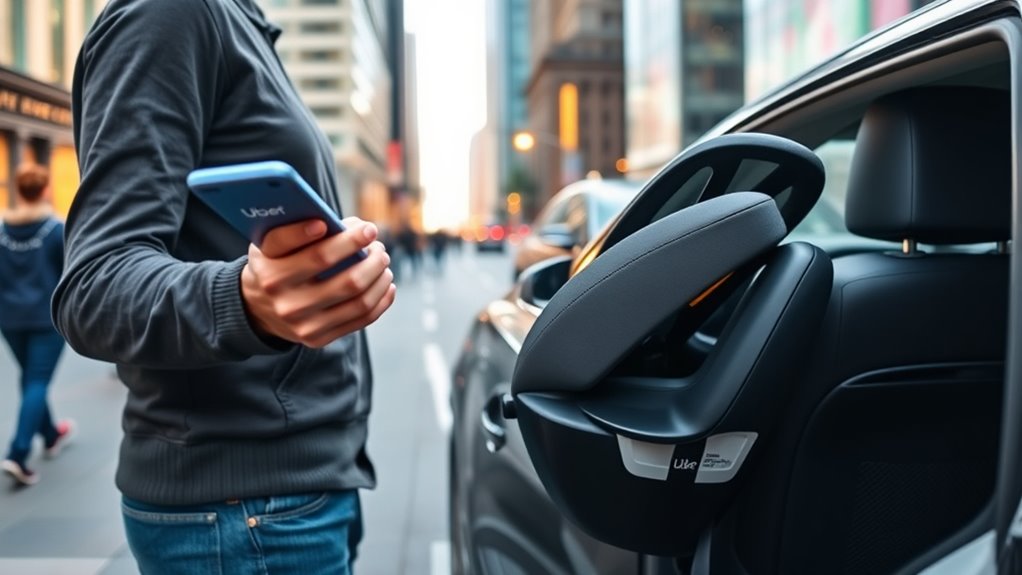
To request an Uber with a car seat, first guarantee your app is updated. When booking, select options that include a car seat or add a note specifying your needs.
Confirm with the driver that they have a suitable, properly installed car seat before the ride begins.
Check the fare breakdown for additional costs. For detailed tips on preparing, safety, and troubleshooting, continue exploring the full guide to make your trip safer and smoother.
Key Takeaways
- Make sure your Uber app is updated and see if the ride option with a built-in car seat is available.
- Request a ride with a car seat using the app’s options or special requests feature.
- In the notes or messaging, specify the seat orientation and any extra needs you might have.
- Confirm with the driver that they have a safe, suitable car seat before your trip starts.
- Before you start riding, check that the car seat is properly installed, secure, and comfortable.
How to Book an Uber With a Car Seat: A Step-by-Step Guide
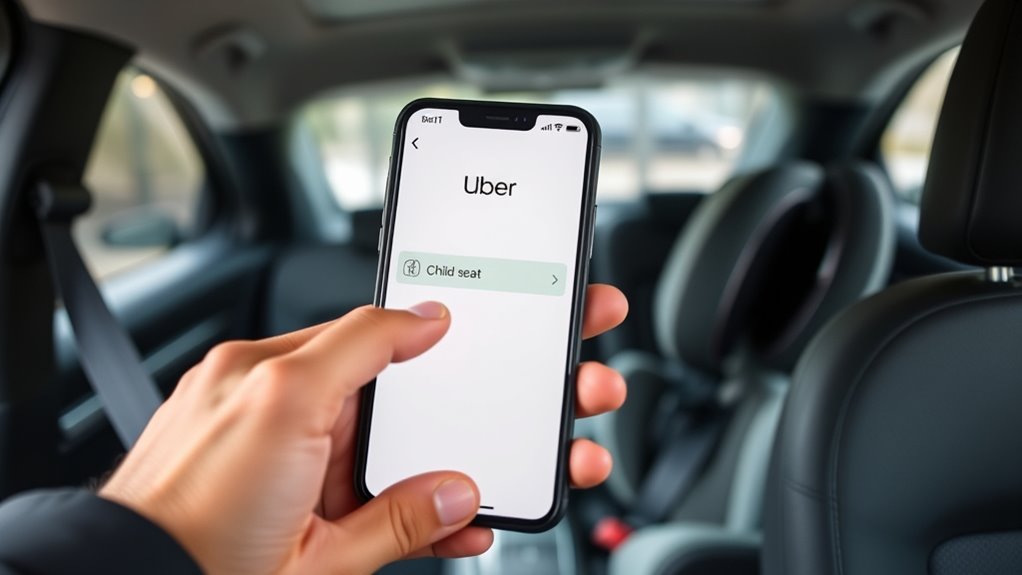
Booking an Uber with a car seat isn’t complicated, but it does require some planning. Before you request your ride, make sure the app is updated and check if the driver knows about the car seat need.
When booking, pick a ride option that allows for car seats or leave a note if possible. Always specify the need for a car seat to help the driver prepare. This keeps your child safe during the trip.
Be polite and courteous. Greet the driver nicely and thank them when you arrive. Keep in mind, not all drivers are comfortable with installing or handling car seats, so be patient and flexible.
Double-check your destination and, if you can, share any special instructions. Following these steps makes the ride smoother and safer for everyone in your family.
Uber’s Car Seat Policies and Availability : What Families Need to Know
Understanding Uber’s car seat policies is super important for families who want a safe and convenient ride. Uber offers options to add baby gear like car seats, but availability depends on your location and the type of vehicle.
Not all Uber services automatically include car seats, so it’s smart to check ahead of time. Uber’s main focus is travel safety, requiring car seats to meet safety standards. This applies whether you bring your own or use Uber’s Baby Essentials feature, when it’s available.
While Uber provides car seats in some cities, it’s not available everywhere. You might need to bring your own to ensure your child’s safety without relying on third-party providers. Plus, some drivers might not have car seats, so it’s best to plan ahead.
Being aware of Uber’s policies helps you prepare your baby gear properly. This way, you can enjoy a smooth, secure trip for your little one without last-minute surprises.
Requesting an Uber With a Car Seat Using the App
When you want to request an Uber with a car seat, the first thing you should do is check your ride preferences in the app and see if there’s an option to add a car seat. It’s always a good idea to see if that’s available before you go ahead and book your ride.
Once you’ve set that up, make sure to confirm with the driver that they actually have a car seat. It’s better to double-check so you don’t run into any surprises when they arrive.
Lastly, use the app to send any special requests or instructions — like reminding the driver about the car seat or mentioning any other needs you might have. That way, everything should go smoothly and your little one will be secure and comfortable during the trip!
Update Your Ride Preferences
If you want to request an Uber with a car seat, the first step is updating your ride preferences in the app. This helps match you with drivers who meet the right qualifications and understand your needs for safe travel.
To do this, open the app, go to Settings, and select Ride Preferences. You can specify “Car Seat” in your options. Keep in mind, drivers with well-maintained vehicles and proper safety features are more likely to have the space you need.
Here’s what to take into account:
| Preference | Explanation | Benefits |
|---|---|---|
| Car Seat Available | Ensures the driver provides a car seat | Safe, comfortable ride |
| Driver Background | Vehicle safety record | Peace of mind |
| Vehicle Condition | Well-maintained vehicles | Reliable transportation |
Updating your preferences keeps your ride smooth and safe.
Confirm Car Seat Availability
Are you wondering how to confirm if a driver can provide a car seat for your ride? First, check your app’s vehicle options to see if car seat availability is listed.
Some Uber services let you choose a vehicle known to include a car seat, which helps prioritize child safety. Keep in mind, not all drivers carry car seats, so availability isn’t always guaranteed.
When you see an option indicating a car seat, it means the driver has confirmed their vehicle is equipped for installation. Confirming this ahead of time helps you plan better and reduces stress on the day of your trip.
Always verify the options and trust your app’s info to make sure your child’s safety is secure from the start.
Communicate Special Requests
Once you’ve confirmed your Uber option includes a car seat, use the ride request notes to share your specific needs. This helps ensure everything runs smoothly during your ride.
Be sure to specify details like whether you need the seat forward-facing or rear-facing. Clear communication with the driver is key, especially if they need guidance on installing the seat properly.
You can also mention any special requests, like extra padding or help with installation, directly in the app. This way, the driver will be prepared and aware of what you need before you arrive.
Being specific helps prevent confusion or delays when you’re picked up. It makes the experience safer and more efficient for you and your child.
Other Rideshare Options for Traveling With Kids and Car Seats
Looking for alternative rideshare options to travel with kids and car seats? Several services cater specifically to families and prioritize kid safety. For example, specialized family ride apps like HopSkipDrive and KiddieCab focus on providing drivers experienced with young children and equipped with appropriate car seats.
These platforms often let you reserve seats in advance, which guarantees your child’s safety and comfort. Travel tips include checking reviews and driver ratings beforehand, and confirming that the service uses certified car seats.
Another option is renting a car seat from some ride services, but always verify if it meets safety standards. If you want convenience and peace of mind, these dedicated family transport options can make your journey easier and less stressful.
They help ensure your child’s safety throughout the trip. Always plan ahead, confirm that your chosen service complies with safety regulations, and enjoy a smoother travel experience with your little ones.
Getting Your Child and Vehicle Ready for a Safe Ride
Before you hop into the Uber, take a quick moment to make sure your child’s car seat is securely installed in the vehicle. It’s always good to double-check, so your little one stays safe during the ride.
Also, give the inside of the car a quick clean. Picking up any trash or debris helps make sure nothing gets in the way of the car seat or causes discomfort.
Taking these simple steps can really help ensure your trip is both safe and comfy for your child.
Ensuring Car Seat Compatibility
Ensuring your car seat fits properly in your vehicle is key to a safe and secure ride. Making sure it’s compatible helps keep your child safe and comfortable during travel.
Check that the car seat fits well in your vehicle’s seating area without blocking airbags or other safety features. This helps ensure maximum protection in case of an accident.
Make sure the base can be securely installed, whether you’re using seat belts or the LATCH system. Proper installation is crucial for safety and stability.
Lastly, verify that the car seat’s weight and height limits match your child’s size. This guarantees they’re riding in a seat designed for their current needs.
Preparing Vehicle Interior Properly
To prepare your vehicle interior for a safe ride, start by cleaning and organizing the space. Make sure nothing obstructs your child’s safety features, like the seat belt or car seat straps.
Remove clutter and loose items that could interfere with proper seat installation. This helps ensure a secure fit for your child’s car seat.
Check that the interior is clean and seats are free of debris to enhance safety. Make sure the seat belt receptacles are accessible and working correctly.
If your child uses different car seat types, verify each is installed properly. Ensure straps are snug and correctly positioned for maximum safety.
Properly preparing your vehicle interior creates a safe, comfortable environment for your child’s ride.
How to Communicate Your Car Seat Needs to the Uber Driver
Clear communication with your Uber driver about your car seat needs is key for a smooth ride. Staying clear and respectful helps ensure your child’s safety and comfort. Here are some helpful parent tips:
- Use the Uber app’s messaging feature: Send a quick message specifying that you need a car seat so the driver knows before they arrive.
- Select the “Car Seat” option when booking: Many ride-sharing apps now let you choose this option in advance.
- Confirm details with the driver: When they arrive, politely remind them about the car seat and ask if they’re familiar with proper installation for safety.
Being proactive helps avoid last-minute surprises, reduces stress, and makes sure your child stays safe during the ride.
Clear communication not only makes your trip go smoothly but also reassures you that your safety concerns are understood.
What Does It Cost to Book an Uber With a Car Seat?
Booking an Uber with a car seat usually means a bit of an extra charge. It’s not always included in the basic fare, so you might see an additional fee when you request one. The cost can vary depending on where you’re riding and the time of day.
Sometimes, there’s also a surge in prices during busy times, and that can bump up the total cost even more. Plus, some Uber services charge a specific fee for adding a child seat, so it’s good to check beforehand. Knowing about these extra expenses can help you plan your trip budget a little better!
Standard Fare Expenses
Adding a car seat to your Uber ride usually costs a bit extra, and the fee can change depending on where you are and the Uber service you pick.
Typically, you might pay between $3 to $10 more per trip. Factors that influence this fee include the type of Uber service, your location, and how busy it is.
For example, UberX, UberXL, or Uber Black might charge different amounts for the car seat request. Urban areas often have higher fees compared to smaller towns.
During busy times or in high-demand spots, the fee might go up slightly. When planning your trip, keep these costs in mind to stay within budget.
Using these tips ensures your child’s safety and helps you prepare for a hassle-free ride with your little one.
Surge Pricing Impact
When demand spikes, surge pricing can significantly increase the cost of booking an Uber with a car seat.
During busy times or bad weather, like rain, Uber raises fares to balance demand and supply. This surge can make your ride much more expensive, especially when you need to ensure rain safety for your child.
If road conditions are poor, drivers might take longer routes or safer paths, raising the fare even more. Planning your trip during off-peak hours can help you avoid these higher costs.
Additional Service Fees
- Some Uber services, like UberX, may charge a fixed fee for car seats.
- Not all vehicles can fit car seats, so options might be limited or cost more.
- In certain cities or with UberPOOL rides, there could be restrictions or extra charges for car seat requests.
Always check the fare breakdown before confirming your ride. Be aware of these extra costs to ensure a safe and smooth trip for your little one.
Troubleshooting Common Issues When Booking a Car Seat Uber
Booking a car seat Uber can sometimes come with unexpected challenges, but most issues can be resolved quickly with a few simple troubleshooting steps.
If your driver isn’t arriving with the correct car seat, it’s often due to misunderstandings about ride sharing regulations or limitations. Always check that the app confirms your request for a car seat, as some drivers might not have the necessary equipment or may not know the safety requirements.
If there’s a problem with the seat’s safety or installation, don’t hesitate to communicate promptly with your driver. Clear, respectful instructions can help ensure the car seat meets safety standards.
Keep in mind that local ride sharing regulations may affect what’s available or allowed in your area. If trouble persists, consider canceling and rebooking or exploring other options that prioritize car seat safety to keep your child protected while following regional rules.
What If the Driver Doesn’t Have a Car Seat? Options and Solutions
If your driver doesn’t have a car seat, you’ll need to consider other options to keep your child safe and comfortable. It’s important to prioritize safety, especially when a car seat isn’t available.
Here are some options to think about:
Consider bringing your own portable car seat or booking a ride with a vehicle equipped for kids.
- Bring your own portable car seat. These are compact and lightweight, making them easy to carry and set up. They provide reliable safety during your ride.
- Use a taxi or ride-share service that offers vehicles with car seats. Some companies cater to families and can accommodate your request for a car seat.
- Plan your route with a nearby store or service station. You can pick up or rent a car seat before your trip to avoid last-minute stress.
Final Checks: Confirm Your Ride and Keep Your Child Comfortable
Before your ride begins, double-check that everything is in order—confirm your driver’s details and make sure your child’s comfort and safety are top priorities. Verify the car details in the app and ensure your child’s car seat is secure.
Communicate any specific needs, especially if travel comfort is a concern. Use this checklist for final checks:
| Confirm Driver Details | Safety Check | Comfort Tips |
|---|---|---|
| Match name and vehicle | Car seat securely installed | Keep a favorite toy or blanket |
| License plate visible | Windows and locks working | Adjust climate for comfort |
This way, you’re all set for a smooth and safe trip.
Frequently Asked Questions
Can I Request a Specific Type of Car Seat Through Uber?
You can’t specifically request a certain type of car seat through Uber, as Uber policies don’t guarantee particular car seat models or features.
However, for car seat safety, always verify if the driver has an approved, proper car seat before starting your ride.
You might also choose Uber Family or Uber Car Seat options, if available, for added safety and reassurance.
Remember to confirm your needs with the driver beforehand.
Are There Age Restrictions for Children Using Uber With a Car Seat?
Yes, there are age restrictions for children using Uber with a car seat.
For safety reasons and vehicle regulations, Uber recommends children under age 8 or below 4’9″ in height use an appropriate car seat.
Make sure to check your local laws because some places have stricter rules.
Always ensure your child’s age and size meet these requirements to keep them safe during your ride.
How Do I Ensure the Car Seat Is Properly Installed in the Uber?
To guarantee the car seat is properly installed, you should follow car seat safety guidelines and check that it’s securely fastened according to the manufacturer’s instructions.
Opt for a ride that offers professional installation if available, or carefully review online tutorials for proper setup.
Before the trip, give the seat a firm shake to confirm it’s tight and stable, making your child’s safety your top priority in the Uber.
Is There a Cancellation Fee if I Change My Booking Last Minute?
You might face a cancellation fee if you change your booking last minute, depending on the ride’s timing and Uber’s policies.
This fee helps keep drivers from waiting too long and makes it easier for you to adjust plans if needed.
Just keep in mind, cancellation fees can vary based on where you are and when you cancel.
To avoid surprises, it’s a good idea to check Uber’s cancellation policy before confirming your ride.
Can I Use a Booster Seat Instead of a Toddler Car Seat?
You can use a booster seat instead of a toddler car seat if it meets booster requirements for safety and age-appropriate use.
However, Uber’s safety standards focus on proper car seat safety, so make sure your booster offers enough support and fits your child’s size.
Always double-check that the booster is installed correctly and complies with local laws.
Conclusion
Booking an Uber with a car seat is a safe and convenient way to travel with your kids. Over 60% of parents find reliable transportation options essential, so knowing how to request one makes all the difference.
By following simple steps, understanding the policies, and being prepared, you can ensure a smooth ride. Always confirm your booking to avoid surprises and prioritize safety first.
With a little planning, navigating rideshare services becomes easier. Keep your little one comfortable and secure every time by requesting an Uber with a car seat confidently.